


الْحَمْدُ لِلَّهِ الَّذِي هَدَانَا لِهَٰذَا وَمَا كُنَّا لِنَهْتَدِيَ لَوْلَا أَنْ هَدَانَا اللَّهُ
Today I’m going to walkthrough a detailed static analysis of Chapter 11 Labs from Practical Malware Analysis.
Lab 11-1
We start by using DIE to see if the sample has any unpacking and to identify the language used to build the sample.

The sample is a PE32 with a resource that’s also PE32 hinting the sample could be a dropper.
Examining the file using PE Studio we can see some imports related to resource usage, registry keys, and info collection which already give hints that the sample is attempting persistence and identification of the infected device, other functions are sus but this requires further investigation as they could be used by legit programs.


Examining the strings of the sample gives us a clear indication that it utilises GINA for credential stealing.

Let’s start with disassembling the sample

The first task of this malware is to load the resource as msgina32.dll.


write_data_to_file function is a big jump table but some parts indicates it writes to a file as the function takes a file named DR as an argument.

At the end of the main function, the malware uses a persistence technique by hooking into Winlogon notify


Now we can start dissecting the dropped payload, using Resource Hacker the payload is extracted

The dropped payload is a dll that exports many functions related to GINA interception.

Looking at the DllMain function we can see it checks for fdwReason and see if it’s DLL_PROCESS_ATTACH which is called when the process starts

The code then gets a handle to msgina.dll using LoadLibraryW and then it’s saved in a global variable called hLibModule so it can be used later.
By looking at the function named DLLRegister


We can confirm that the sample performs GINA interception by editing the registry key
HKLM\SOFTWARE\Microsoft\Windows NT\CurrentVersion\Winlogon\GinaDLL
Analysing other exported functions by the dll we can see they are passthrough functions that calls the legit msgina.dll functions. However, the function WlxLoggedOutSAS got some beef.

The function performs some kind of logging, data is sent to the log_info function in this format.

This function writes data to msutil32.sys file which resides C:\Windows\System32 since it’s called from winlogon.
Questions
1- What does the malware drop to disk?
The malware drops a dll file named msgina32.dll, which contains many functions that performs GINA and winlogon interception.
2- How does the malware achieve persistence?
The malware achieves persistence by hooking into winlogon notify by writing into registry key HKEY_LOCAL_MACHINE\SOFTWARE\Microsoft\Windows NT\CurrentVersion\Winlogon\.
3- How does the malware steal user credentials?
The malware steals user’s credentials by registering it’s own dll(msgina32.dll) as a 3rd-party service in HKLM\SOFTWARE\Microsoft\Windows NT\CurrentVersion\Winlogon\GinaDLL.
4- What does the malware do with stolen credentials?
The function writes the stolen data to a file in %Systemroot%/msutil32.sys whenever the user logs out as it intercepts the function WlxLoggedOutSAS.
5- How can you use this malware to get user credentials from your test environment? By restarting the machine and logging in.
Lab 11-02
In this lab we have a dll file with a an .ini file that contains a weird string.

We start by looking at what functions this dll exports.

It only exports one function called installer.
Looking at the strings, there’s an indication of a reverse shell initiated by the sample.

We start by looking at the installer function which achieves persistence by adding spoolvxx32.dll to AppInit_DLLs

Then it copies the file to C:\Windows\System32

Now we can check the DllMain function.
First it checks if fdwReason equals 1 i.e: DLL_PROCESS_ATTACH, if it’s not the function returns(exits).

If fdwReason is 1 then, a routine is started which reads a the file Lab11-02.ini from C:\Windows\System32

Then it read its bytes and performs a decryption


Writing a small script to decrypt the content of the file
def decrypt_byte(encrypted_byte, key): # Take only lowest byte of key and multiply by 0x29A eax = (key & 0xFF) * 0x29A & 0xFFFFFFFF # Arithmetic right shift by 4 (preserve sign bit) eax = eax >> 4
# XOR with encrypted byte and return lowest byte return (eax ^ encrypted_byte) & 0xFF
key = 0x32cipher = input("Enter encrypted string: ").strip().encode('utf-8')decrypted = bytearray()
for c in cipher: decrypted_byte = decrypt_byte(c, key) decrypted.append(decrypted_byte)
print(decrypted.decode('utf-8')which gave the following result

Now looking back at the function we can deduce that the result of the decryption is being stored in a global variable.

Which is the offset passed to the function

After the decryption is done, the sample starts looking for one of the following processes: THEBAT.EXE, OUTLOOK.EXE, MSIMN.EXE, which are known email clients.


The malware calls a memcmp operation to check if the process is running, as using AppInit_Dll for persistence, it loads the code with any process under User32.dll so ALL processes, hence the malware checks for the process running if it’s one of the targeted clients, else, it will exit.
At first I didn’t understand these three functions but after some research I found out they perform inline_hooking, with further inspection.

We can see it starts by looping over all threads for the selected process and suspend them so that it doesn’t interfere with the processes while it’s running


The same routine is repeated but with ResumeThread instead, giving this code.

This usually indicates the malware is making a change that could impact the the current execution.
The function RCPT contains many SMTP commands namely RCPT TO: < which is sending emails to another email; the one retrieved from lab-11-02.ini(as the sample won’t run on my machine I had to check the solution to make sure this is the case).

Now we can check the function that takes all of these arguments sub_100012A3.

After renaming the parameters(the order is reversed as the stack is first-in-first-out), we can see it starts by getting a handle of wsock32.dll using GetModuleHandle and moves it to eax then if a handle doesn’t exist already it jumps to LoadLibrary to load wsock32.dll.

Then it hooks into the send function exported from wsock32.dll and it’s passed sub_10001203

Looking into the function we can see VirtualProtect which is used to change the protection of the function to PAGE_EXECUTE_READWRITE; it then copies the first 5 bytes of the send function using memcpy as a backup, this variable is used a lot so it’s renamed to trampoline. After taking a backup, at the 10th(0A) offset a jmp instruction is added; then the original offset is restored sub eax, 0Ah and then the address of eax is added to the offset 0B (after 0A the offset of jmp instruction),
JMP [send - (trampoline+0Ah)]this serves as a return point after executing the hook.
Then the hook is installed at the offest send(lpaddress)+1.
JMP [RCPT - send - 5]returns to send+0 and adds the hook at send+1.

At the end, the trampoline + 5 offset is stored at edx and returned by the function, then the protection is reverted.
Since we have a full picture, we can check the potential_hook function; as it will be installed as a hook, it will have the same arguments so we redefine the function.

The function starts by looking for the string “RCPT TO: ” in buf, if it’s not found it moves to trampoline function(the original send function)


If the string exists, it adds a recipient(billy@malwareanalysisbook.com) extracted from the .ini file) to all outgoing emails.
Questions
-
What are the exports for this DLL malware?
An installer function that achieves persistence.
-
What happens after you attempt to install this malware using rundll32.exe?
It copies fhe file
spoolvx32.dllinto system directory. -
Where must Lab11-02.ini reside in order for the malware to install properly?
C:\Windows\System32. -
How is this malware installed for persistence?
It uses
AppInit_dll. -
What user-space rootkit technique does this malware employ?
This malware employs inline hooking.
-
What does the hooking code do?
The hooking code edits the
sendfunction ofwsock32.dllto addbilly@malwareanalysisbook.comas a recipient in all emails. -
Which process(es) does this malware attack and why?
The malware attack email clients namely:
thebat.exe,outlook.exe, andmsimn.exe. -
What is the significance of the .ini file?
The .ini contains the email which will be added as a recipient to all emails sent by the victim.
Lab11-03
We are given two files Lab11-03.exe and Lab11-03.dll.
Using DIE we can see both are a C/C++ files


Investigating more using PE Studio, the .exe file uses some interesting functions for process enumeration, file manipulation, and fingerprinting.

Looking at the strings for the file we can see some unique strings

Though we can’t tell for sure what’s the malware doing but combining CreateProcess with the string cisvc.exe could give a wild guess that the malware is trojanising cisvc.exe, the file inet_epar32.dll is a unique IoC to this malware as well but can’t tell its purpose yet.
Moving on to the dll file, we can see some interesting imports

We can see some interesting functions: GetForegroundWindow, GetWindowText, GetAsyncKeyState are functions often used by keyloggers.
GetStartupInfo and CreateProcess could be used to create stealthy suspended processes, that could be used for reverse shell activity especially as the exe got command.com and .cmd.
The dll file also exports a function named zzz69806582 but we can’t tell its purpose yet

Checking the strings we can see some interesting elements

The unique file kernel64x.dll, some date related strings with <SHIFT> key and some network related errors.


I decided to try floss because why not and it revealed that the .exe file has some encoded strings.

So the malware runs /c net stat cisvc which means run the service cisvc and terminate(/c switch).
No additional strings was found in the dll so we can proceed to advanced static analysis.
We start by opening Lab11-03.exe in IDA Pro.

The main function does 4 operations:
- It copies the file
Lab11-03.dlltoC:\\Windows\System32\asinet_epar32.dll, and overwriting the file if it exists asFailIfExistsis set to 0. - Using
_sprintfa stringC:\Windows\System32\cisvc.exeis formed. - This value is passed to another function
sub_401070which writes something intocisvc.exeprobably trojanising it.

Looking closely at this function we can see it creates a mapping of the file -after reading its size- with PAGE_READWRITE permission, or in other words, it loads the file into memory. The file is then being read using MapViewOfFile with a FILE_MAP_READ and FILE_MAP_WRITE permission(2 | 4 = 6).
After getting a MapView, the program now has a handle to the file.

We will be using this as a reference
typedef struct _IMAGE_SECTION_HEADER { BYTE Name[IMAGE_SIZEOF_SHORT_NAME]; union { DWORD PhysicalAddress; DWORD VirtualSize; } Misc; DWORD VirtualAddress; DWORD SizeOfRawData; DWORD PointerToRawData; ...} IMAGE_SECTION_HEADER, *PIMAGE_SECTION_HEADER;1- The program starts by adding 3C to edx to access e_lfanew which is the offset of NT_IMAGE_HEADERS(source) and it’s stored in eax which is then stored in a local variable I named it IMAGE_NT_HEADER.
2- Then 14h is added so it points to sizeOfOptionalHeader.
3- Then 18h is added along with sizeOfOptionalHeader in edx and IMAGE_NT_HEADER so it translates to IMAGE_NT_HEADER + sizeOfOptionalHeader + 18h gives an address to the end of OptionalHeader and move it to ecx.
It’s then pushed along with the number of sections to enum_sections.
enum_sections basically looks for a reference .text (1) by looping over all sections by skipping a section in each iteration add eax, 28h and decrementing index passed to the function(2).
After getting the handle of .text section, its then returned by the function(3, 4).

Next step is editing the obtained file, I used the decompiler as the assembly was a bit complicated

NOTEThe section is divided into DWORDs, each DOWRD = 4 bytes so [0] starts at offset 0x00 and [1] starts at offset 0x04 and so on. more info
- [0], [1] = name
- [2] = Misc.VirtualSize
- [3] = VirtualAddress
- [4] = SizeofRawData
- [5] = PointerToRawData
First two conditions checks if our enum_sections did its job.
Then the size of the .text section is checked if it’s bigger than 0x13A, then it checks if SizeOfRawData - Misc.VirtualSize >= 0x13A which checks if there are at least 0x13A of RawData beyond VirtualMemory.
The code then scans a global defined section(I named it payload), for the sequence of bytes 0x12345678 whenever this sequence is found, that the whole part is replaced with
PointerToRowData + AddressOfEntryPoint - BaseOfCode - ( Misc.VirtualSize + PointerToRawData + i + 4)Simplifies to
AddressOfEntryPoint - BaseOfCode - Misc.VirtualSize - i - 4ok, now we should check what does this address contain
From the menu bar search -> Sequence of bytes… enter 0x12345678 and you will find one result


I GPTd my way since I was stuck and it suggested changing the block to code as it had the E8 opcode which is the opcode for rel32, so I swam with the current; pressed C and found this

😱😱😱😱😱😱😱😱😱😱😱😱😱😱😱😱😱😱😱😱😱😱😱😱😱😱😱😱😱😱😱😱😱

😱😱😱😱😱😱😱😱😱😱😱😱😱😱😱😱😱😱😱😱😱😱😱😱😱😱😱😱😱😱😱😱😱
Now I can safely assume this sample performs trojanisation, so let’s deep dive in the new functions
Let’s start with sub_4090BC, as the assembly wasn’t clear I clicked my magical button(F5)


It tires to access to PEB structure which holds information about the running process.
We can confirm that the malware is injecting shellcode especially the way we found the code.
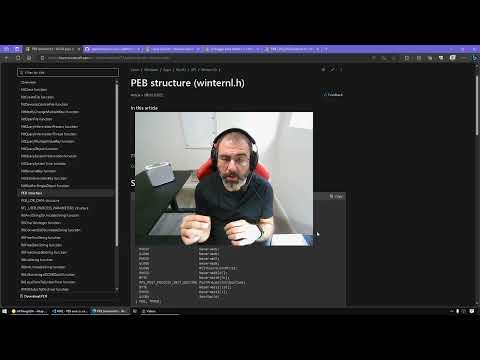
I will leave this video and leave the analysis of the shellcode to future me in Ch19.
Let’s continue with the dll, since it’s a dll we start by looking at the exports
We can see it exports two functions

Looking at it I realised I’ve seen this movie before.

Anyways, let’s start our analysis

Nothing interesting is happening in _DLLMain, it only starts with a process attach.
So let’s move to our noice function zzz69806582, nothing much is happening here(or it is?)

It creates a thread that runs immediately with no identifier returned, it runs at the offset StartAddress.
So it starts by looking for a Mutex named MZ(totally not sus bro)

If the Mutex is found it exits, otherwise it’s created which is the normal behaviour of a Mutex.

Then a file is created with the following access
- Default attributes.
- To always be opened.
FILE_SHARE_READso the file can be opened by many operations at the same time.GENERIC_WRITEANDGENERIC_READwhich offers read and write access for the file.- The file is created at
C:\Windows\System32namedkernel64x.dll.
Then a handle is obtained and passed to the function sub_10001380 so let’s take a look into it:

The function has two tasks:
- Pass the file to a function named
sub_10001030. - Then it writes the data to a file in the format
%s: %s\n.

The function sub_1001030 calls another function sub_10001000 that calls GetForegroundWindow and GetWindowText.


The rest of the function is a group of GetAsyncKeyState calls
 …
…
No need to look further it’s evident that this dll enables keylogging functions to the malware in lab11-03.exe.
This graph summarises the flow of the dll functions.
Questions
- What interesting analysis leads can you discover using basic static analysis?
The exe showed fingerprinting, process enumeration and the dll showed keylogging imports, the strings contained a service name and using floss a command /c net stat cisvc was found in the stack strings of the .exe, the .dll also exported a unique function namely zzz69805682.
- What happens when you run this malware?
The malware starts by trojanising cisvc then it runs it, when the program is run it starts a keylogging routine that’s attached to a Mutex named MZ. The logs are being stored at C:\windows\System32\kernel64x.dll.
- How does
Lab11-03.exepersistently installLab11-03.dll?
The content of Lab11-03.dll is being copied into C:\Windows\System32\inet_epar32.dll.
- Which Windows system file does the malware infect?
This malware infects and trojanises cisvc, by injecting shellcode.
- What does
Lab11-03.dlldo?
It performs keylogging, which is evident as it has many calls for GeyAsyncKeyState and GetForegourndWindow and GetWindowText.
- Where does the malware store the data it collects?
The data is stored at C:\Windows\System32\kernel64x.dll as it’s being created after the Mutex named MZ.
Some information may be outdated